
Image-heavy emails: a great idea, if anyone could see them
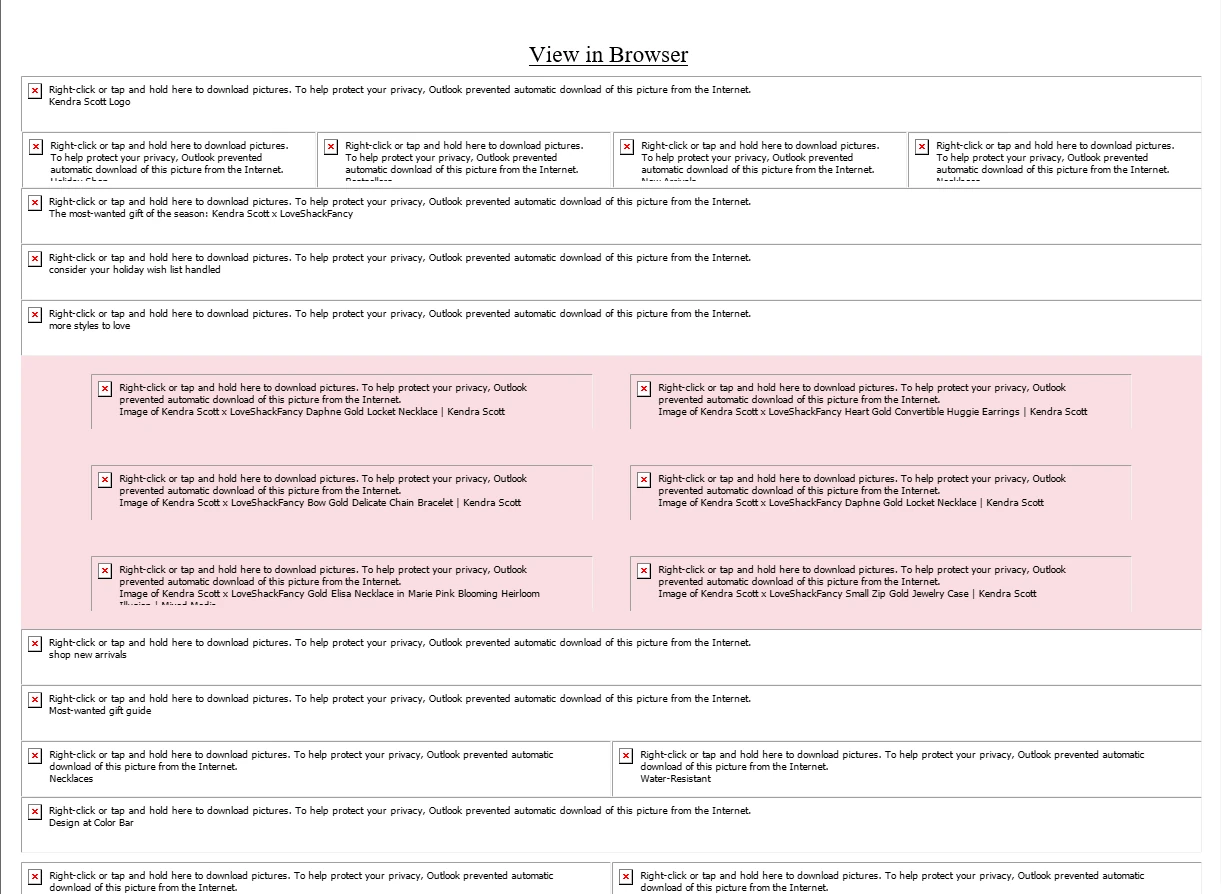
“View in Browser” is doing a remarkable amount of work here. The rest of the email is asking permission to become an email.
This Kendra Scott and LoveShackFancy promotion has the ingredients you would expect: product photography, a seasonal offer, and plenty of places to shop. With images loaded, it looks like a retail campaign. In the Outlook screenshot above, it looks like a list of things Outlook has decided not to show you.
The problem is how much of the message lives inside the pictures. The navigation is made of images. So are the main headline and the visible “Shop Now” button. Blocking external images removes far more than decoration. It removes much of the sales pitch.
As a design strategy, it is a good idea, if it ever worked. It does work for some recipients, of course. The trouble is that the sender does not control which version everyone gets.
What they intended. What we got.
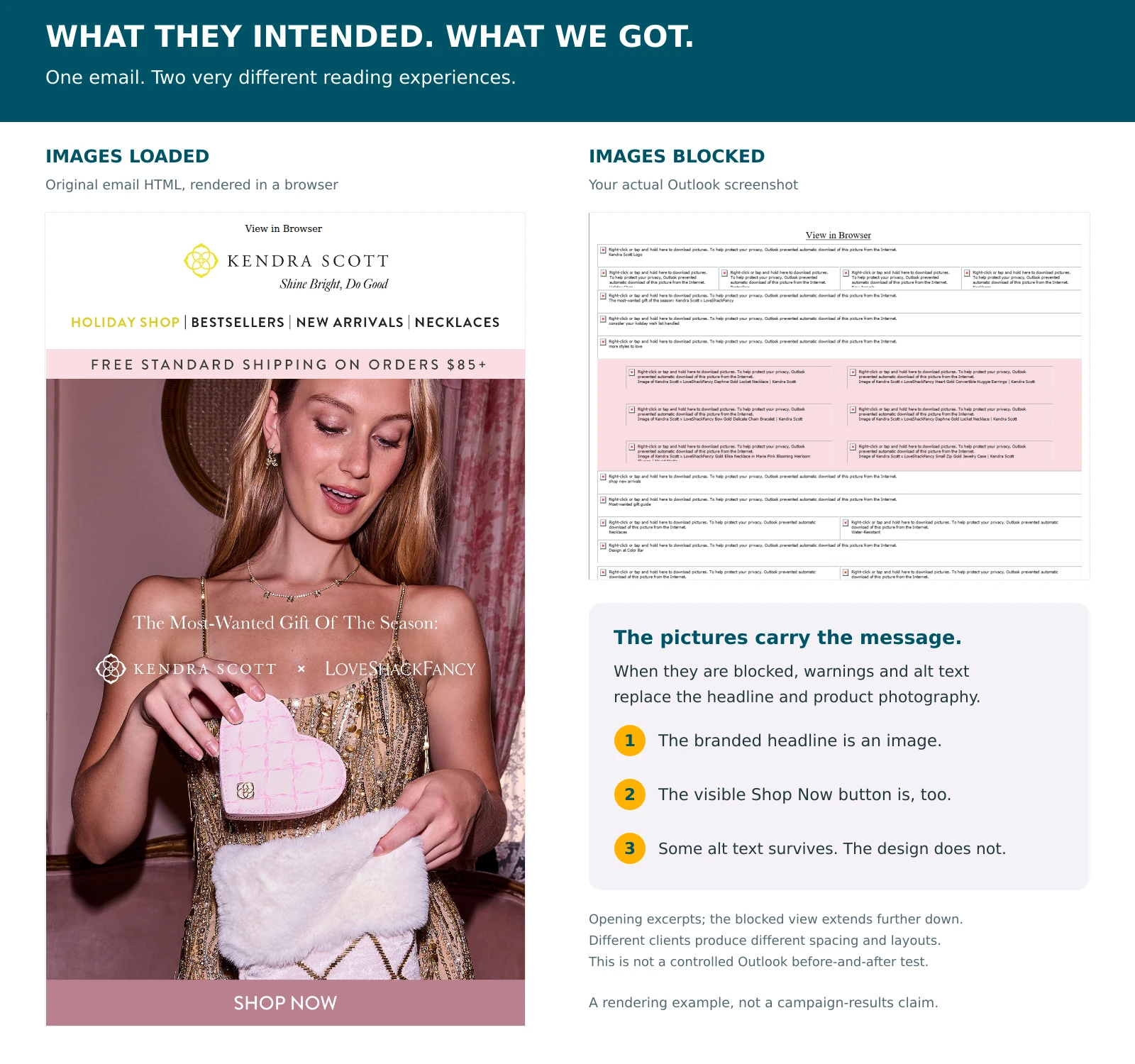
There is useful alt text in this email. Product names and phrases such as “consider your holiday wish list handled” survive. That is better than a stack of unnamed missing images. It still asks the reader to assemble a shopping experience from warnings and scraps of copy.
This example does not tell us whether the campaign made money. It does not prove that every subscriber saw the blocked version. It shows a specific failure that an email team can test for before sending: can someone understand the offer when the pictures are unavailable?
How often are images blocked? Be careful with the statistics.
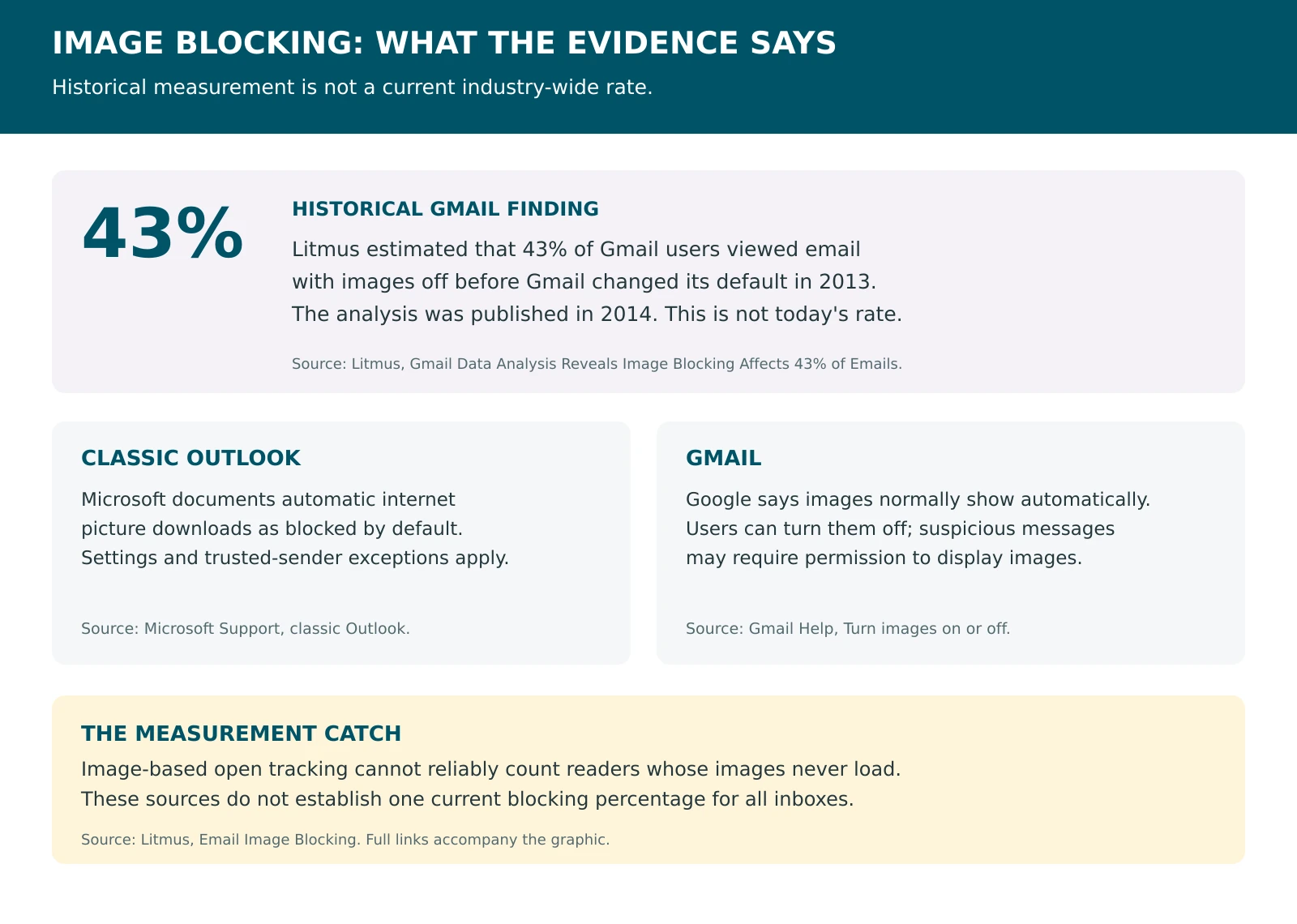
The widely repeated 43% figure comes from a Litmus analysis published in 2014. By comparing recorded opens before and after Gmail began showing images automatically in 2013, Litmus estimated that 43% of Gmail users had been viewing email with images off. That is a historical finding about Gmail, not a current blocking rate for all email.
Current client documentation gives us a more useful picture of the risk. Microsoft says classic Outlook blocks automatic internet picture downloads by default, with settings and trusted-sender exceptions. That statement should not be stretched to cover every Outlook product. Gmail normally shows images automatically, but users can turn them off, and suspicious messages may require permission.
There is also a measurement problem. As Litmus explains in its image-blocking guide, conventional open tracking relies on an image loading. Readers who block that image may not register as opens. Your open report cannot neatly count all the people missing from it. None of these sources establishes one current, universal blocking percentage.
You do not need an inflated statistic to justify a basic design check. If your audience includes people whose clients block external pictures, that is enough reason to make the message readable without them.
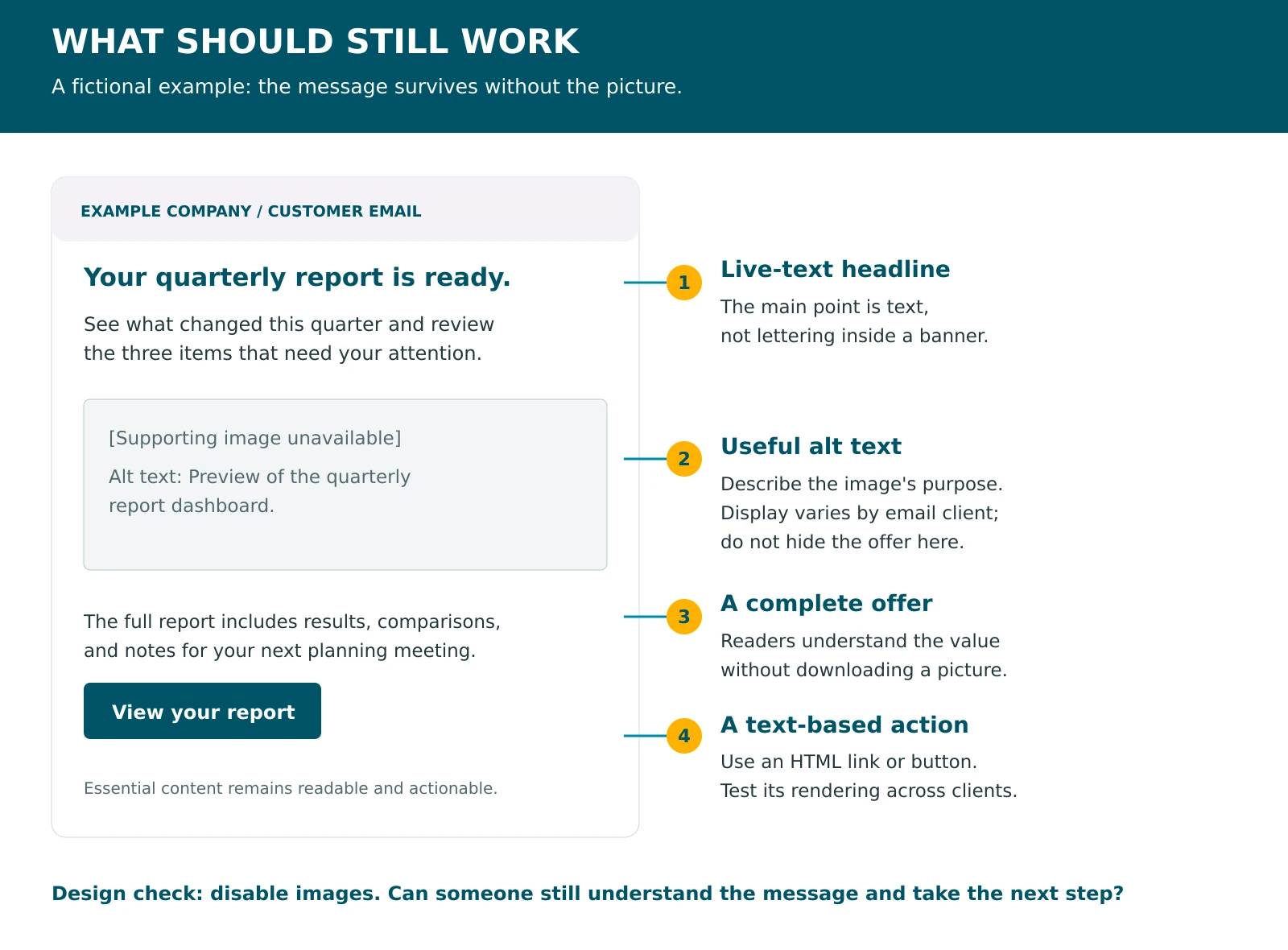
Write the headline outside the picture.
Start before the email opens. A subject line should give readers a specific reason to care. “Your exclusive update is here” asks for attention while offering very little in return. “Your quarterly report is ready” tells the reader what arrived. Preview text can then add a reason to act: “Review the results and three items that need your attention.” These are examples, not a promise of higher open rates.
Inside the email, put the main headline in live HTML text. The same applies to the offer, deadline, and any terms someone needs to make a decision. If you turn those words into a banner, they inherit the banner's loading problems. Text baked into artwork can also become tiny on a phone, especially when the whole design shrinks to fit.
Use a text-based HTML link or button for the main action. Test the button in the clients your audience uses, since email rendering still varies. The aim is for “Shop the collection” or “View your report” to remain a readable link when a supporting image cannot load.
Alt text helps. It cannot carry the whole campaign.
Good alt text reflects an image's purpose. A product photo might need the product name and a useful detail. A linked image may need to explain its destination or action. “Pink heart-shaped jewelry case” tells someone more than “image_07_final.jpg.” A purely decorative flourish should usually have empty alt text, so assistive technology can skip it.
Do not paste the entire promotion into an alt attribute and consider the problem solved. Email clients differ in whether and how they show alt text, and the image's allotted space can limit what is visible. The screenshot is a useful reminder: several images have descriptive alternatives, but those alternatives still compete with Outlook's download warning.
Keep essential information in the body. Alt text should help a reader understand the missing image, not become the only remaining place to find the offer. This also reduces dependence on images for people using screen readers or other assistive tools.
The text-to-image ratio is not a magic spell.
Mailchimp recommends 80% text to 20% images as a general guideline. It also notes that spam filters use different criteria. Treat that recommendation as a reason to avoid image-only emails, not as a formula that guarantees delivery. It is not a universal screen-area rule, and adding a block of pointless footer copy will not make an unreadable offer useful.
A product-led retailer may have a good reason to use more photography than a service firm's appointment reminder. Count and area alone do not settle the question. Ask what the pictures are doing and what happens when they disappear. Even one large image is too much dependence if it contains the whole message.
Compress images, size them for their use, and make sure they are publicly accessible. Heavy files add download time. Keep genuine text as text wherever practical, while using pictures to show the product or explain something the reader needs to see. Image-heavy design does not automatically mean spam, but arriving in the inbox is not much help if the offer is missing.
Approve the version your reader might receive.
Before sending, check the email with images enabled and disabled. Use the clients your audience actually uses, inspect the mobile layout, and try every important link. Confirm that the sender, offer, and next action are still clear. Review alt text and check that a reader can follow the message in a sensible order.
A browser version is worth keeping as a fallback. It should not be the first useful thing in the email. Measure the campaign against its actual goal, such as qualified replies or purchases, rather than letting an open-rate report stand in for whether people understood it.
The photography can stay. So can the design work. Just stop requiring every picture to load before the email can explain why it was sent. “Download pictures” is an instruction from Outlook, not the call to action your team spent a week approving.
Philip Easley-Bosley is the founder of Tactical Marketing and a thirty-year expert marketing consultant. His path to founding the firm ran through sales and marketing leadership, years inside Act-On Software consulting with thousands of clients as Lead Marketing Automation Strategist, and a consistent priority on training and team building that a linear career could not have produced. He sets strategy, owns the architectural calls on every engagement, and writes about marketing operations, automation, and the discipline of building systems that hold up on Monday morning.
This article was produced with AI assistance. Philip supplied the original email and blocked-image screenshot, directed the argument and tone, and approved the outline, graphics, and draft. AI helped research the sources, draft the copy, and prepare the supporting graphics.